
Thank you, your download is starting
The file alphaDSF-Setup.exe is arriving in your downloads. Follow the three steps below.
Nothing happening? Start the download again
-
Step 1
Open the downloaded file
In your browser or in the Downloads folder, open alphaDSF-Setup.exe. It installs for your Windows session, with no administrator rights needed.
Illustration: the look depends on your browser. -
Step 2
Get past the Windows warning
If Windows shows “Windows protected your PC”, click More info, then Run anyway.
This message appears for recent software that Windows does not know yet. Only download alphaDSF from www.alphadsf.com; if in doubt, write to us on WhatsApp before installing.
Simplified illustration: the exact look depends on your version of Windows. The “Run anyway” button only appears after clicking “More info”. -
Step 3
Activate your licence
On first launch, accept the terms of use shown by the application, then enter the licence key received on WhatsApp and your reseller code. An Internet connection is needed only once.
No key yet? Ask for it on WhatsApp.
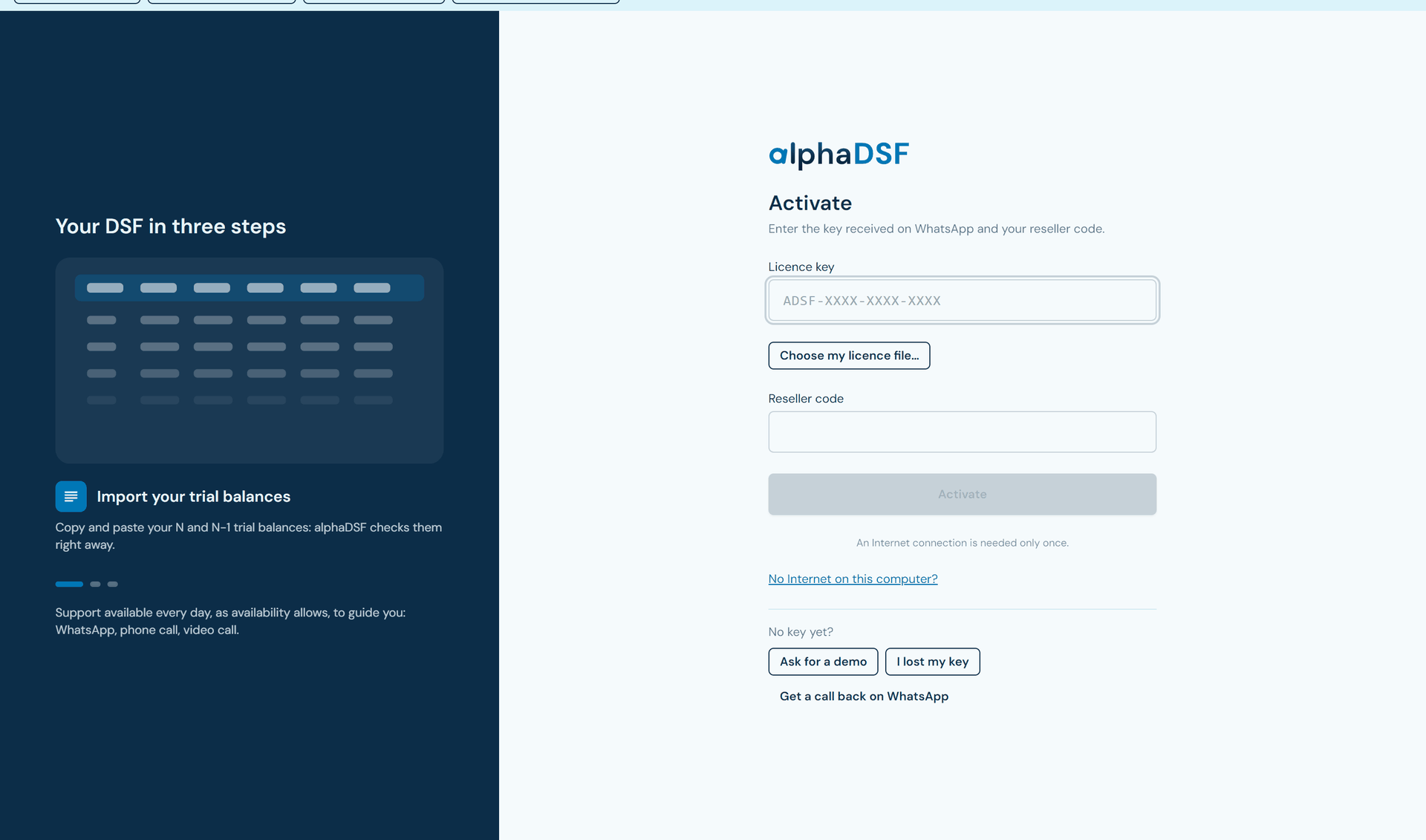
Screenshot of the alphaDSF activation screen.

A question during installation?
We answer on WhatsApp, and a demonstration is available.
Write on WhatsApp